
Integrations
AI receptionist for MDLand: the iClinic booking path
How an AI receptionist for MDLand reads iClinic over FHIR R4, books inside a 100 a minute limit, and confirms each write. See it.
Key takeaways
- MDLand's certified iClinic API uses FHIR R4 with SMART on FHIR sign-in, so the practice grants access once and scopes it in advance.
- The certification rule behind that API covers record access, and ONC found hospitals send scheduling more often through proprietary or non-API methods.
- MDLand allows 100 requests a minute and 2,000 an hour per client, so reference data loads ahead of time and calls read only requested slots.
- 2care writes each booking into iClinic live during the call, and the caller hears it confirmed only after iClinic returns 201 Created.
- Every booking call runs six stages: answered in about 0.4 seconds, written in about 0.9 seconds, then reminders 24 hours and 2 hours before.

MDLand's certified API for iClinic runs on FHIR R4, version 4.0.1, signs applications in with SMART on FHIR, and allows each client 100 requests a minute, according to MDLand's developer documentation. An AI receptionist for MDLand has to work inside those three facts: read the schedule sparingly, book against a slot it has just checked, and tell the caller whether iClinic accepted the booking before the line closes.
MDLand has worked with physician practices since 1999, and its customers include physician organisations: MSOs, IPAs, ACOs and PPS networks. A typical reader is an independent practice that runs its own iClinic schedule while reporting into a wider network, with a front desk of one or two people and a phone that rings hardest in the first hour of the day.
What follows traces one booking call from the first ring to the confirmation text. Each section names the interface that carries the step, the limit that applies to it, and what the caller hears when iClinic says no. The aim is a description specific enough to check line by line in a vendor demo, with nothing taken on trust.
iClinic exposes FHIR R4 4.0.1 behind a SMART on FHIR sign-in
MDLand announced its (g)(10) FHIR API certification on 22 December 2022. The developer documentation states the version plainly, "FHIR R4 (Version 4.0.1)", and the sign-in model: "We use SMART on FHIR OAuth 2.0 for authentication." An application is registered with MDLand, a practice grants it access, and every request after that carries a short-lived token tied to the grant.
For a voice agent the relevant pattern is the server-to-server one. HL7's SMART Backend Services specification, version 2.2.0, describes services that "autonomously (or semi-autonomously) need to access resources from FHIR servers that have pre-authorized defined scopes of access." A phone line answered before the practice opens has no clinician present to click an approval screen, so the access has to be granted once, in advance, and scoped to what the call needs.
MDLand's public reference page for individual resources still reads "Detailed API reference documentation will be available here." A practice evaluating any integration should ask for the resource and operation list in writing, and keep it with the agreement.
The certified API was written for record access, and booking travels another way
The certification MDLand holds comes from 45 CFR 170.315(g)(10), whose title is "Standardized API for patient and population services." Its purpose is moving a patient's record to the patient or to an authorised application. The rule says nothing that requires a certified EHR to accept a booking through that interface.
National data shows how the two jobs separate in practice. In ASTP/ONC Data Brief 81, published in February 2026, about 9 in 10 hospitals offered patients API access to their records in 2024. For administrative work, scheduling included, the same hospitals "conducted this data sharing more often via proprietary APIs or non-API-based methods than standards-based APIs."
That figure covers hospitals, and no equivalent survey exists for independent practices. It still answers the question an iClinic practice should put to any vendor: which interface writes the appointment? A reply of "FHIR" describes the read side of the integration. The write side deserves its own answer, its own permission and its own test booking.
FHIR treats a slot as free or busy time and the booking as its own resource
In the HL7 R4 specification, a Slot is a window on a schedule, and HL7 describes slots as "effectively spaces of free/busy time." Each one carries one of five statuses: busy, free, busy-unavailable, busy-tentative or entered-in-error. An Appointment is a separate resource, "a booking of a healthcare event among patient(s), practitioner(s), related person(s) and/or device(s) for a specific date/time," at maturity level 3 in the standard's Trial Use tier.
The split matters on a live call. A read that returns a free slot is a snapshot of the schedule at the moment of the read. Between that read and the booking, the front desk can fill the slot from the waiting room, or a patient can take it through the portal. A design that treats the first read as a reservation books into a slot that may have gone.
So the slot is read twice. The first read builds the options the caller hears. The second read happens at the moment the caller says yes, for that one slot, and the appointment is only described as booked once iClinic has accepted the write and returned the new appointment.
100 requests a minute is the budget every iClinic call spends from
MDLand publishes two ceilings for its FHIR API: 100 requests per minute per client, and 2,000 requests per hour per client. Both apply to the integration as a whole, so 20 booking calls in the same minute share the 100. Every patient lookup, provider read, slot search and write on every concurrent call draws on the same allowance.
The hourly figure is the one that binds over a sustained run. A Monday morning that held 20 bookings in every minute would spend the hour's allowance well before the hour ended. An integration designed for this budget loads reference data such as providers, visit types and locations outside the call and refreshes it on a schedule, then spends live requests only on the patient, the slots in the window the caller asked for, and the write.
Two questions follow for a vendor review: how many requests a typical booking call makes, and what the agent does when the API answers that the limit has been reached.
A booking call on iClinic runs in six timed stages
From the caller's side a booking takes a couple of minutes. Inside the system it is six stages, each with a defined output, and the iClinic write sits in the fifth.
- RingThe call is answered in about 0.4 s
- UnderstandIntent, provider and urgency are worked out, and identity is verified on date of birth
- CheckA live read of open slots by provider, visit type, duration, location and window
- BookThe slot is held, the practice's booking rules are applied and any old slot is released
- WriteThe appointment is posted to iClinic and returns 201 Created, encrypted and audit-logged, in about 0.9 s
- ConfirmA text with the time, reminders 24 h and 2 h before, and a check-in 48 h after
The call is answered in about 0.4 seconds, and the write to iClinic takes about 0.9 seconds of the call. The check stage is where the rate limit is spent, and the write stage is where the outcome is decided. Identity is settled before either: a caller who gives a date of birth that matches an existing iClinic record is booked against that record, which keeps a long-standing patient from acquiring a second chart.
The caller hears a refused write before the line closes
2care writes back live, over the practice system's official API, during the call. For an iClinic practice that means the booking exists on the iClinic schedule before the caller hangs up, and the confirmation text is sent only after the write has been accepted.
| Step in the call | What the caller hears | What happens in iClinic |
|---|---|---|
| Options | Two openings with the provider they asked for | Free slots read for that provider and visit type |
| Choice | The chosen time read back to them | The one slot re-read and still free |
| Write | Confirmation of the booking | Appointment created, 201 Created returned |
| Refusal | That time has just gone, and the next opening | Write refused, slot now busy, fresh read |
| Text | A message with the date, time and location | Booking visible on the iClinic schedule |
The refusal row is the one to test in a demo. Book a slot from the front desk while the agent is mid-call for the same slot, and listen. The agent should say the time has gone, offer the next free one from a new read, and send no confirmation for the slot it lost.
An IPA member practice keeps its own iClinic rules inside a shared network
MDLand's customer base includes physician organisations, the MSOs, IPAs, ACOs and PPS networks its homepage lists, and many iClinic practices report into one of them. Network membership leaves the schedule where it was: each member practice keeps its own providers, visit types and booking rules in its own iClinic account.
The agent is configured the same way, one practice at a time. A network of several member practices has a set of rules, a provider list and a connection for each one, and a caller to one practice is never offered a slot at another. Where the network wants to see activity across members, that comes from the call records, with each practice's schedule left alone.
Reminders need one decision at setup. MDLand says practices can "manage appointment reminders" from iClinic and its iClinic Anywhere app, and the agent's confirmation flow also sends reminders. A practice picks one sender for reminders so a patient receives one message per reminder.
Where 2care confirms the iClinic booking
The step that decides whether a booking is real is the write, and 2care performs it during the call. The live write-back runs over the practice system's official API, so the confirmation the caller hears is iClinic's own answer: an appointment created and returned with 201 Created, encrypted in transit and logged with the call that produced it.
The six stages above are the same on every call, which makes them testable. A practice can sit with the call log beside its iClinic schedule and match each booking to the call that made it, the time it was written and the text that confirmed it. A refused write appears in the same log, next to the slot that was offered in its place.
The rest of the platform, from refill routing to outreach, is described on the platform overview. The connection itself, and what it reads and writes in iClinic, is set out on our MDLand integration page.
Which iClinic practices this suits
This approach fits an iClinic practice whose schedule already tells the truth. Staff keep provider templates current, block time off in iClinic when a provider is away, and define visit types with a fixed length. When the schedule holds those rules, the agent can offer what the practice would offer and nothing else.
It also suits a practice with a predictable morning peak and a desk of one or two people, where the first hour's calls currently wait for whoever is free. Practices that already confirm bookings by text will find the confirmation stage familiar. An IPA or ACO member fits the same way as an unaffiliated practice, configured on its own account.
Frequently asked questions
Do appointment reminders from iClinic still go out for bookings the agent makes?
Yes, if the practice keeps iClinic as its reminder sender. A booking written by the agent sits on the iClinic schedule like any other appointment, so iClinic's own reminder settings apply to it. The practice then turns off the agent's reminder texts and keeps only the booking confirmation, so each patient receives one message per reminder.
What happens when the caller is new to the practice?
The agent takes the caller's name, date of birth, phone number and reason for the visit, spells the name back for confirmation, and checks iClinic for an existing record first. If none matches, a new patient is created with those details as structured fields, and the appointment is written against that new record during the same call.
Does each provider's template carry over, or do we rebuild it?
Provider templates stay in iClinic and are read from there. During setup the practice maps each visit type the agent may book to its iClinic equivalent and states any rules the template does not hold, such as which providers take new patients. Nothing is rebuilt, and template changes made in iClinic later are picked up.
Who authorises the connection to our iClinic account?
The practice does. MDLand's API uses SMART on FHIR authorisation, so an application gets access to a practice's data only after the practice grants it, and the grant can be withdrawn. For a member of an IPA or ACO, the grant is still made per practice, for that practice's own iClinic account and schedule.
A step to take this week
Pull last week's appointment list from iClinic and mark every booking that was made over the phone. Next to each, note the visit type and whether a clinician needed to decide anything before it was booked. The visit types where the answer is always no are the ones an agent can book end to end. Bring that list, and the request and write questions from the sections above, to any vendor conversation, including ours.
To watch a booking land on an iClinic schedule in real time, including a refused write, book a demo and bring a test patient.
Sources
- MDLand, FHIR documentation, retrieved 11 November 2026.
- MDLand, MDLand achieves 21st Century Cures Act (g)(10) FHIR API certification, 22 December 2022.
- eCFR, 45 CFR 170.315, Health IT certification criteria.
- ASTP/ONC, Data Brief 81: Hospital use of APIs to enable data sharing between EHRs and third-party technology, February 2026.
- HL7 International, FHIR R4 Slot resource.
- HL7 International, FHIR R4 Appointment resource.
More stories
All posts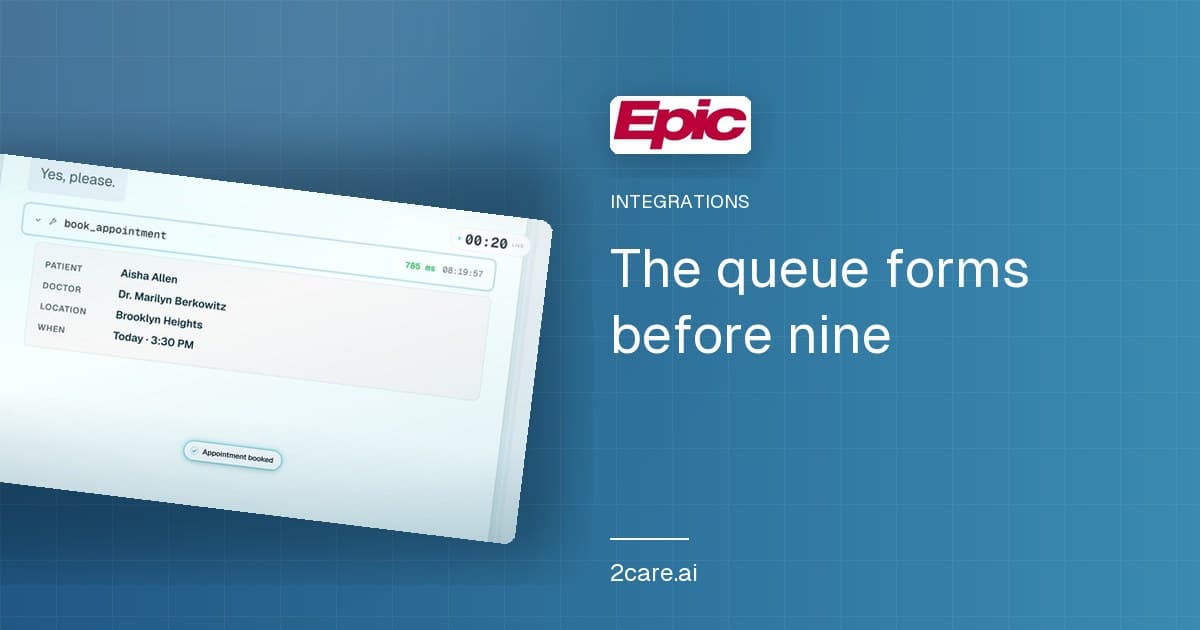
Get every new post by email
Notes from the front desk, sent as they publish - every Tuesday and Friday. No filler.
I agree to receive the 2Care AI newsletter. Unsubscribe anytime.